
ERP systems designed around how you actually work
Custom modules, roles, reporting, and AI assistants connected to inventory, finance, production, and people data — instead of forcing the company into a generic product.
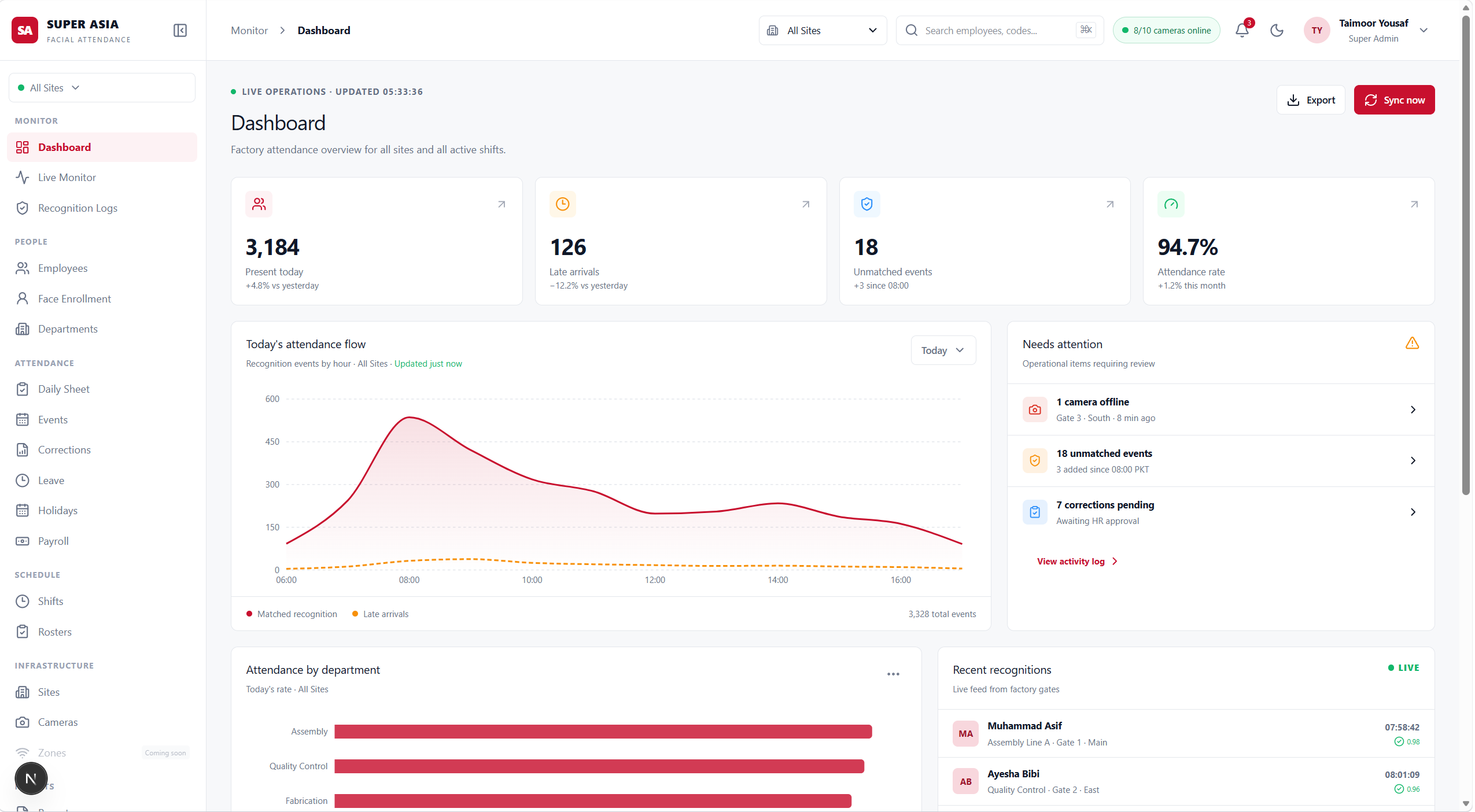
The operational layers a custom ERP should hold together
Start with one module your team already runs by hand, then connect inventory, finance, production, access, and AI around the same system of record.
Operations modules
Inventory, procurement, sales, and production workflows designed around your sites, units, and exceptions instead of a generic template.
Finance and reporting
Ledgers, costing, and management reports that follow how the business already measures stock, margin, and throughput.
Roles and access
Permissions, approvals, and audit trails so floor staff, managers, and finance see the right records and leave a trail.
AI in the workflow
Document capture into records, SOP assistants on company knowledge, demand signals, and anomaly flags attached to live operational data.
Industry-shaped processes
Textile, food, FMCG, and pharmaceutical operations with the batch, quality, and compliance steps those teams already run.
Approvals and exceptions
Purchase, stock, and quality exceptions routed to the right person instead of disappearing into chat or a spreadsheet.
Existing-system connections
Accounting, identity, messaging, and partner systems kept in the loop so the ERP does not become another isolated database.
Operational visibility
Live dashboards and exports for stock, orders, attendance, and production so managers can act without waiting on a weekly file.
A clear path from current process to a system people will use
Each engagement follows the same practical rhythm, adapted to your sites, roles, existing tools, and the work that cannot stop during the change.
- 01
Map
Document the current process, systems, data ownership, roles, and the work that cannot stop during the change.
- 02
Design
Shape modules, records, permissions, and exception paths around how the operation actually runs.
- 03
Build
Ship a first operational slice with real users, real data, and a clear owner on both sides.
- 04
Embed AI
Add capture, assistants, and alerts only where they remove manual work already proven in the workflow.
- 05
Run
Harden reporting, access, integrations, and iteration so the system stays usable after go-live.
Start with the scope that fits
Map the current operation, launch one module that replaces a painful process, or keep a team on the system as it grows.
Ongoing ERP partnership
A retained team for companies that need modules, integrations, and operational reporting to keep moving after the first release.
- Module roadmap
- Delivery and training
- AI and reporting iteration
First operational module
A focused build that replaces one painful process — inventory, orders, production, or finance — with a usable system of record.
- Scoped process
- Working module
- Go-live support
Process and systems discovery
A short engagement to map current tools, data gaps, and the first module worth building.
- Process map
- System review
- Build recommendation
Fewer gaps between the process and the product
The same team can shape the modules, permissions, integrations, reporting, and AI assistants. That means exceptions stay visible, data stays in one place, and automation only lands where the workflow is already clear.
What we work with
Explore related services
AI & Machine Learning
Models, interfaces, review paths, and monitoring connected by one practical team that understands both the product and the operational constraint.
Explore serviceWeb Development
Interfaces, APIs, data models, and delivery practices connected by one team that designs for clarity now and change later.
Explore serviceMobile App Development
Navigation, offline behavior, notifications, and device integrations connected by one team that designs for phones first rather than shrinking a desktop product.
Explore serviceReady to replace spreadsheets and disconnected tools with one system?
Tell us the operation, the current tools, and the work that hurts most. We will help identify the clearest first module.
Talk about a custom ERP